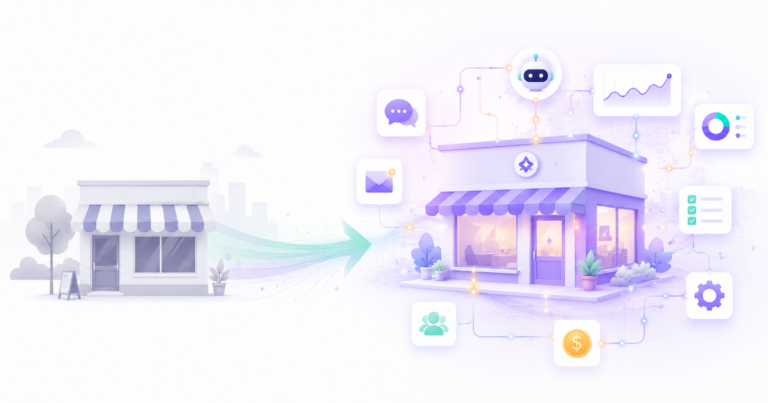
For decades, building software meant one of two things: learn to code yourself, or pay someone who could. That wall kept powerful automation out of reach for most small business owners, who had neither the time to learn programming nor the budget for a developer. That wall is gone. No-code AI automation lets you build the kind of intelligent workflows that used to need an engineering team, using nothing but a visual builder and plain language. If you can use a spreadsheet, you can build these.
This guide explains what no-code AI automation actually is, why it has become the default way businesses build, and how to create your first working workflow step by step. No jargon, no coding, just a clear path from idea to a system that runs on its own.
What Is No-Code AI Automation?
No-code AI automation is the practice of building automated, intelligent workflows using visual drag-and-drop tools instead of writing code. You connect apps, set triggers, and drop in AI steps by clicking and configuring blocks on a screen, the same way you might arrange items in a slideshow. The AI handles the thinking, reading messages, making decisions, writing replies, while the no-code platform handles the plumbing between your tools.
If you are new to the wider concept, our complete guide on what AI automation is and how it works sets the foundation. No-code is simply the most accessible way to put it into practice.
Why No-Code Changed Everything
To understand why this matters, it helps to see what building used to involve versus what it involves now. The shift is not subtle.
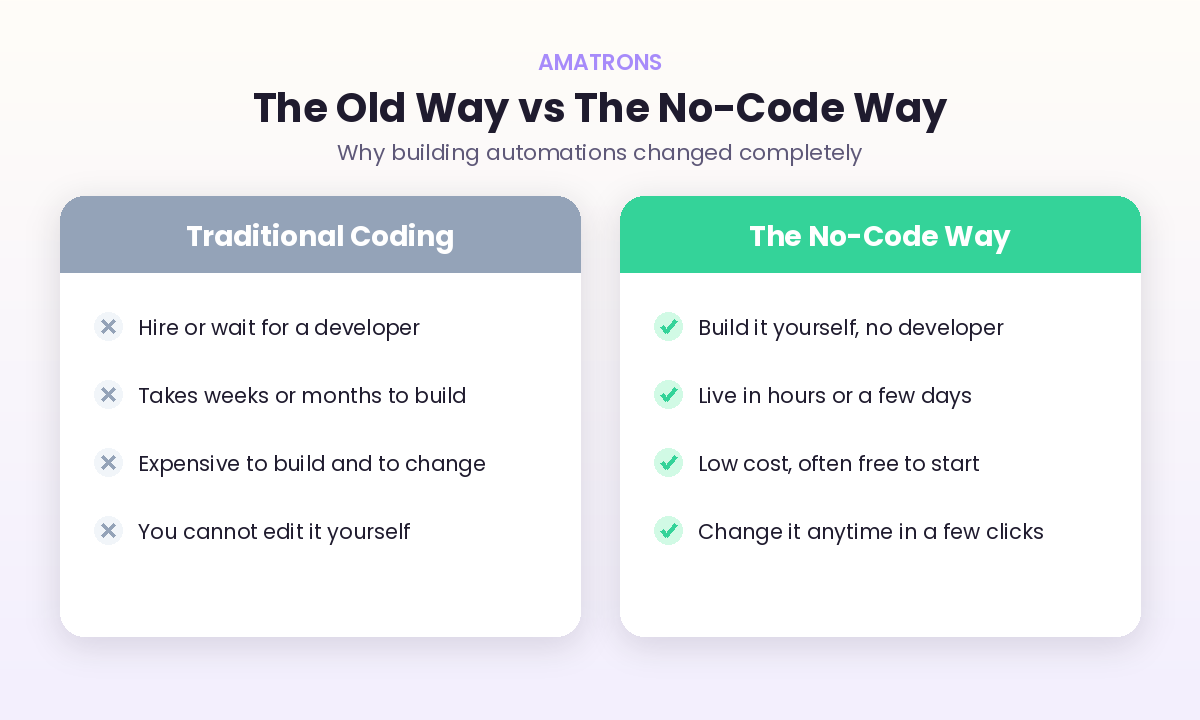
The old path meant hiring or waiting for a developer, spending weeks and a significant budget, and ending up with something you could not change yourself without going back to them. The no-code path flips all of that. You build it yourself, it goes live in hours or days, it costs little or nothing to start, and you can adjust it anytime with a few clicks. That difference in speed and control is exactly why the approach exploded.
No-Code Has Gone Mainstream
This is not a fringe trend for hobbyists. It has become the dominant way new software and automation get built, and the data makes that impossible to ignore.
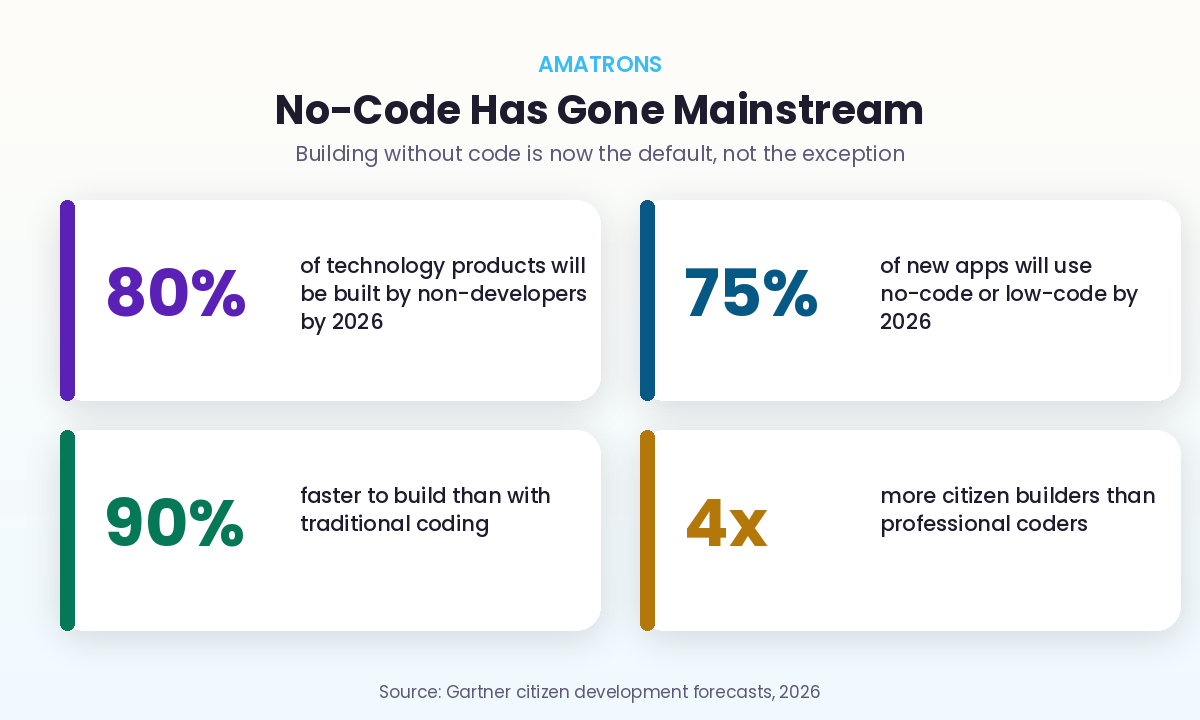
Gartner forecasts that by 2026, around 80% of technology products will be built by people who are not professional developers, and roughly 75% of new applications will be built on no-code or low-code tools. These platforms cut build time by up to 90% compared to traditional coding, and citizen builders now outnumber professional coders several times over. The message is simple. The people building the most useful business automations today are not engineers. They are owners and operators who picked up a visual tool and started.
What You Can Build Without Code
The natural question is what these workflows actually do. The honest answer is most of the repetitive work in a small business. Here are common examples that take minutes to hours, not weeks.
- Lead capture and follow-up. A form submission triggers AI to score the lead, write a personalised reply, and log it in your CRM automatically.
- Customer support triage. Incoming messages get read, categorised, and either answered by AI or routed to the right person with a summary attached.
- Content drafting. A topic in a spreadsheet triggers AI to draft a social post or email, ready for you to approve.
- Invoice and data handling. AI reads incoming documents, pulls the key details, and files them into your accounting tool without manual entry.
- Reporting. Data from several tools gets pulled, summarised by AI, and sent to you as a clean weekly report.
For a fuller menu of where to point this, our roundup of business processes to automate with AI lists the highest-return options.
Build Your First No-Code AI Workflow in 5 Steps
Enough theory. Here is the exact sequence to go from idea to a live automation, even if you have never built one before.
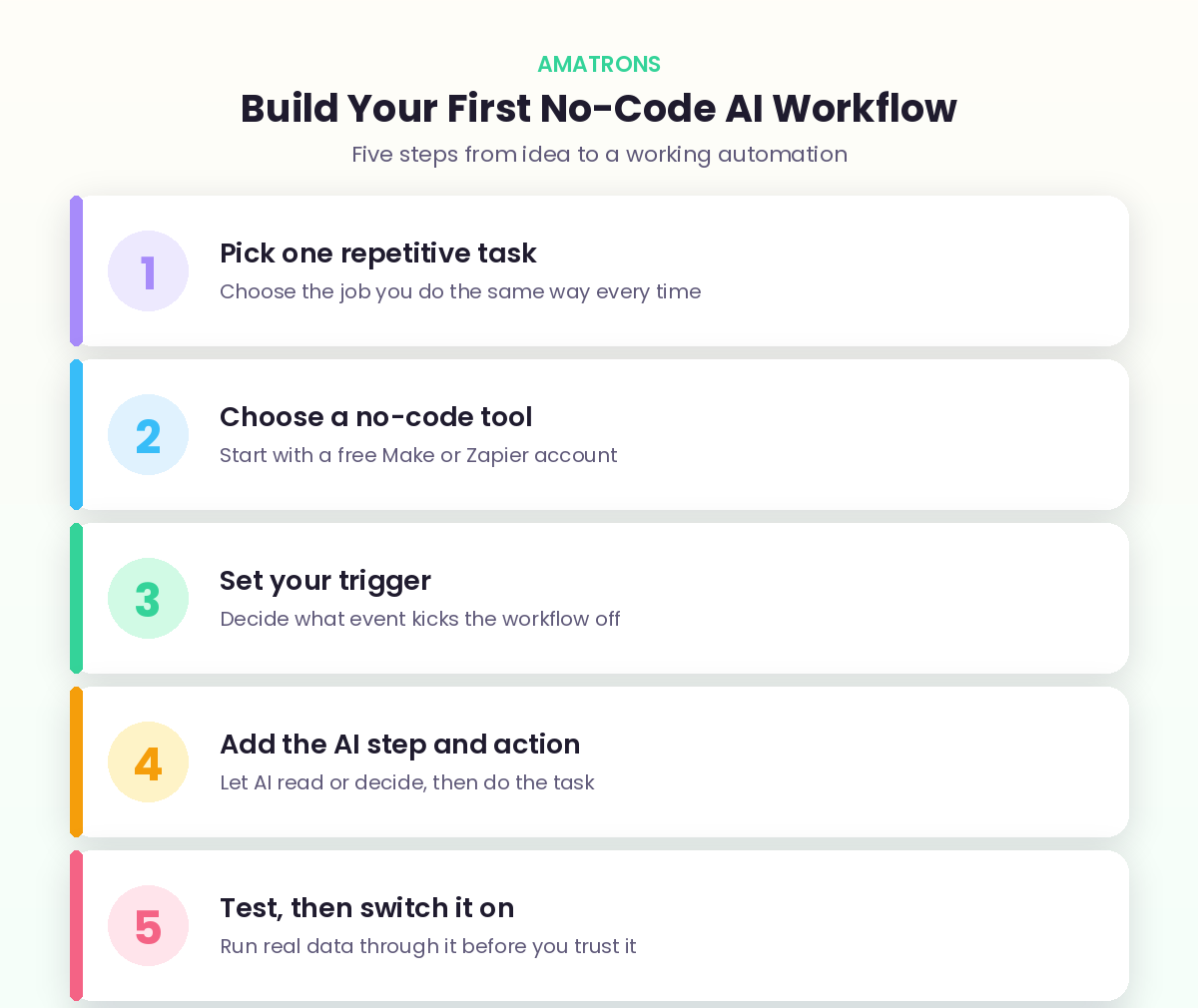
1. Pick One Repetitive Task
Do not try to automate your whole business at once. Choose the single job you do the same way over and over, the one that is predictable and eats your time. Lead follow-up and answering common questions are perfect first projects.
2. Choose a No-Code Tool
Start with a free account on a visual builder. Zapier is the simplest for beginners, while Make gives you more power for multi-step flows. Both let you build by clicking, not coding. Our guide to the best AI automation tools for small businesses compares them in detail.
3. Set Your Trigger
The trigger is the event that starts the workflow. A new form submission, an incoming email, a row added to a spreadsheet. You pick it from a menu and connect the app it comes from. This is the “when this happens” part of the automation.
4. Add the AI Step and Action
This is where the intelligence comes in. Drop in an AI step and tell it, in plain English, what to do: summarise this, draft a reply, decide which category this fits. Then add the action that follows, such as sending the email or updating your CRM. This is the “do that” part.
5. Test, Then Switch It On
Run real examples through the workflow and check the output before trusting it fully. Tweak the AI instructions until it behaves the way you want. Once it is reliable, switch it on and let it run. You have just built an automation without writing a single line of code.
How AI Makes No-Code Far More Powerful
It is worth understanding why no-code suddenly got so much more capable, because the AI part is what changed the game. No-code tools have existed for years, but the older versions could only follow rigid rules. They could move data from one app to another, but they could not understand it. If an email did not match an exact pattern, the workflow broke.
AI removed that limit. Now a no-code workflow can read a messy, free-form message and grasp what it means. It can decide which of five categories something belongs in. It can write a reply in your tone of voice. It can pull the important details out of a document that looks different every time. In other words, the no-code canvas gives you the structure, and AI gives that structure judgement. That combination is why a visual tool can now handle work that genuinely required a thinking human just a couple of years ago, and why the same approach we covered in AI automation versus traditional automation applies here. The rules give you reliability; the AI gives you the ability to handle the real, untidy world.
Why This Matters Most for Small Teams
Large companies have always had the resources to build whatever they needed. No-code AI automation matters most for the small operator, because it closes that gap almost entirely. A solo founder or a five-person team can now run systems that would have needed a whole department, without hiring anyone or learning to code.
That is real leverage. The time you used to lose to repetitive admin gets handed back to you, and you spend it on the work only you can do. The work that used to wait until you had a free moment now happens instantly and consistently. And the competitor down the road who is still doing everything by hand starts to look slow by comparison, even if they work longer hours than you. For a lean business, that is not a minor efficiency gain. It is the difference between staying stuck at your current size and being able to grow without your workload growing with it. No-code is how a small team starts operating like a big one, and it is available to you today, not someday.
A Real Example, Start to Finish
Steps on a page can feel abstract, so here is one complete workflow built with no code, the kind a consultant or service business might use to never miss a lead again.
A potential client fills in the contact form on the website. That submission is the trigger. The no-code tool catches it instantly and passes the details to an AI step, which reads what the person wrote, judges how good a fit they are, and drafts a warm, personalised reply that references their actual enquiry rather than a generic template. The next action sends that reply within seconds, while the lead is still on the site. Another action creates a record in the CRM with the lead score attached, and a final step posts a quick note to the owner so they know a promising lead just came in. If the person does not reply within two days, a follow-up message goes out automatically.
Every piece of that was built by clicking and configuring blocks, then writing the AI instruction in plain English. No code, no developer, and it runs every time a form comes in, day or night. That is the leap. A task that used to depend on the owner being awake and free now happens on its own, instantly, forever. If you would rather have a system like this built and tuned for you, that is exactly what our workflow automation service delivers.
No-Code, Low-Code, or Custom: Which Do You Need?
No-code is not the only option, and knowing where it fits saves you money and frustration. Think of it as a spectrum, from fully visual to fully built from scratch.
No-code is the right choice for the vast majority of small business automations. It is fast, cheap, and you control it yourself. Low-code sits one step up, mostly visual but with the option to add small bits of custom logic when you hit an edge the templates cannot handle. Then there is fully custom development, where everything is built from the ground up. That last option only makes sense when you need something genuinely unusual, a complex product, a heavy-duty integration, or scale that visual tools cannot support.
The honest guidance is this. Start with no-code and only move up when you hit a wall you cannot get around, not before. Most owners never hit that wall. But when a project truly outgrows visual tools, that is the moment for proper application development, where a custom build is worth the extra cost and time. Reaching for custom before you need it is one of the most common and expensive mistakes in this space.
Mistakes to Avoid With No-Code Automation
No-code makes building easy, which also makes it easy to build badly. Avoid these and you will stay on the winning side.
- Building something clever before something simple. Your first workflow should be small and reliable. Ambition can wait until you trust the basics.
- Writing vague AI instructions. The AI does exactly what you tell it. Clear, specific instructions produce good output; fuzzy ones produce mess.
- Skipping the test runs. Always run real examples through before going live. Catching an issue in testing is free; catching it in front of a customer is not.
- Connecting everything at once. Add one app and one action at a time. A workflow with ten steps bolted on at once is impossible to debug when something breaks.
- Never checking back. Apps change and AI drifts. A quick monthly look keeps your automations healthy instead of quietly failing.
Is No-Code Reliable Enough to Trust?
A fair worry, especially if a workflow will touch customers or money. The honest answer is yes, when you build it sensibly. No-code platforms themselves are mature and stable, used by millions of businesses, so the tools are not the weak point. Reliability comes down to how you set things up.
The simple safeguards make all the difference. Test every workflow with real examples before it goes live. Keep a human review step on anything high-stakes, like a payment or a sensitive customer reply, until you have watched it perform for a while. Start each automation small and add complexity only once the basics are proven. And check in periodically, because the apps you connect to occasionally change. Do those four things and a no-code workflow is every bit as dependable as one a developer would build, often more so, because you understand it well enough to fix it yourself the moment anything looks off.
Frequently Asked Questions
What is no-code AI automation?
Do I really not need any coding skills?
What can I build with no-code AI automation?
How much does no-code automation cost?
When should I hire a developer instead of using no-code?
The Bottom Line
No-code AI automation removed the last real barrier between small business owners and the kind of intelligent systems that used to belong only to companies with engineering teams. You no longer need to code, hire, or wait. You need one repetitive task, a free tool, and an afternoon to build your first workflow. The data shows the whole world is moving this way, with most new software now built by people who are not developers at all. So pick the task that wastes the most of your time, open a free builder, and put one automation to work. Once you see it run on its own, you will never go back to doing it by hand.