The deal is signed, the payment clears, and then comes the scramble. Welcome email, contracts, logins, folders, a kickoff call, the same five questions you answer for every new client. It eats hours, it happens at the worst possible time, and one missed step makes a brand new customer wonder if they made a mistake. The fix is to automate customer onboarding so the whole sequence runs itself the moment someone says yes.
This guide walks you through how to automate customer onboarding in five clear steps, from the first welcome message to the final check-in. You will see exactly what each step does, what it looks like on a timeline, and the tools that make it possible without a developer. Done right, your onboarding runs in the background while you focus on the work clients actually pay you for.
Why Automating Onboarding Is Worth It
Onboarding is not admin. It is the most important 30 days of the entire customer relationship. It is the window where a buyer either feels relief that they chose you or quietly starts to regret it. The data on this is not subtle.
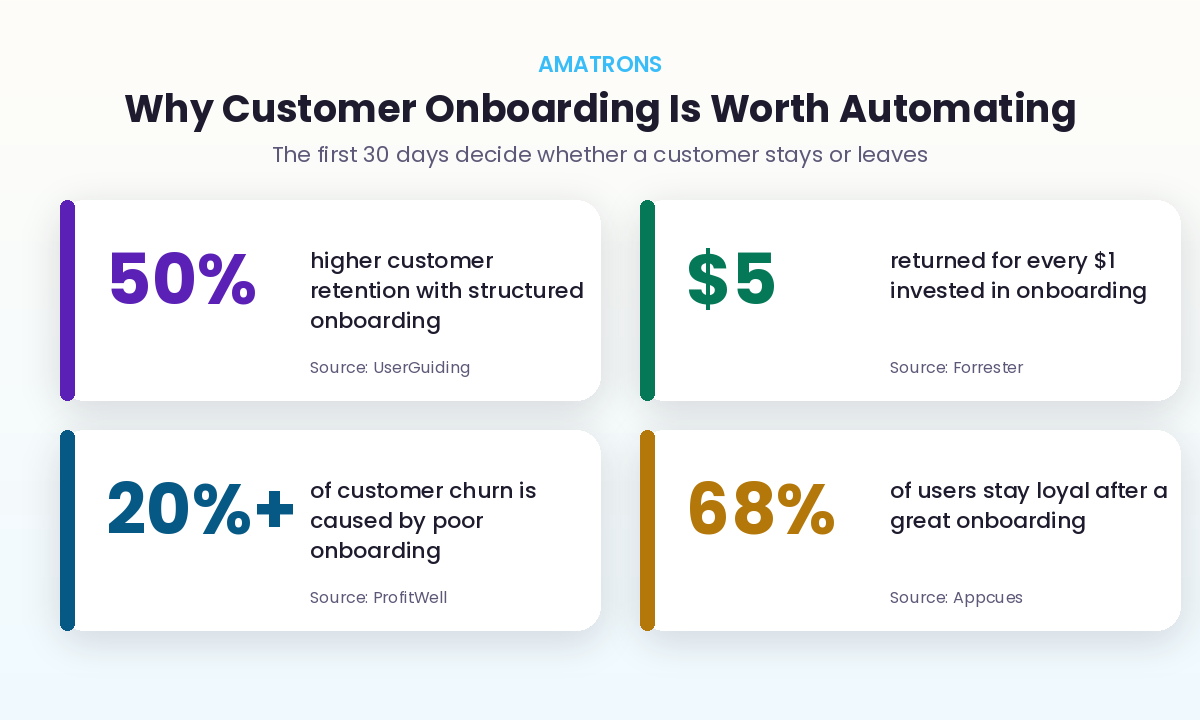
Forrester research puts the return on onboarding at roughly five dollars for every dollar invested. UserGuiding reports that a structured onboarding process lifts retention by about half. And ProfitWell found that more than a fifth of customer churn traces straight back to a weak start, not a weak product. The first impression is doing more work than your marketing.
Here is the catch. A great onboarding experience is hard to deliver by hand, every single time, especially when you are busy or growing. People forget steps. Emails go out late. The tenth client of the month gets a worse start than the first. Automation solves exactly that problem. It makes your best onboarding the default, delivered identically to everyone, whether you are at your desk or asleep.
What Is Automated Customer Onboarding?
Automated customer onboarding is a connected sequence of actions that fires on its own when a new customer signs up or pays, handling the welcome, the paperwork, the setup, and the early guidance without you doing it manually each time.
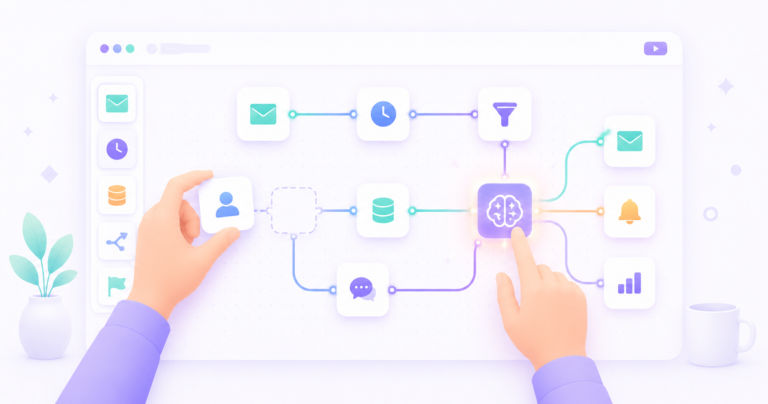
The smartest versions blend two kinds of automation. Simple rules handle the mechanical steps, sending the email, creating the folder, scheduling the call. AI handles the parts that need a little judgment, reading a customer reply, answering their first questions, or flagging when something needs a human. You do not need both on day one, but knowing the difference helps you build something that actually feels personal rather than robotic. If that distinction is new to you, our guide on what AI automation is and how it works breaks it down in full.
The 5 Steps to Automate Customer Onboarding
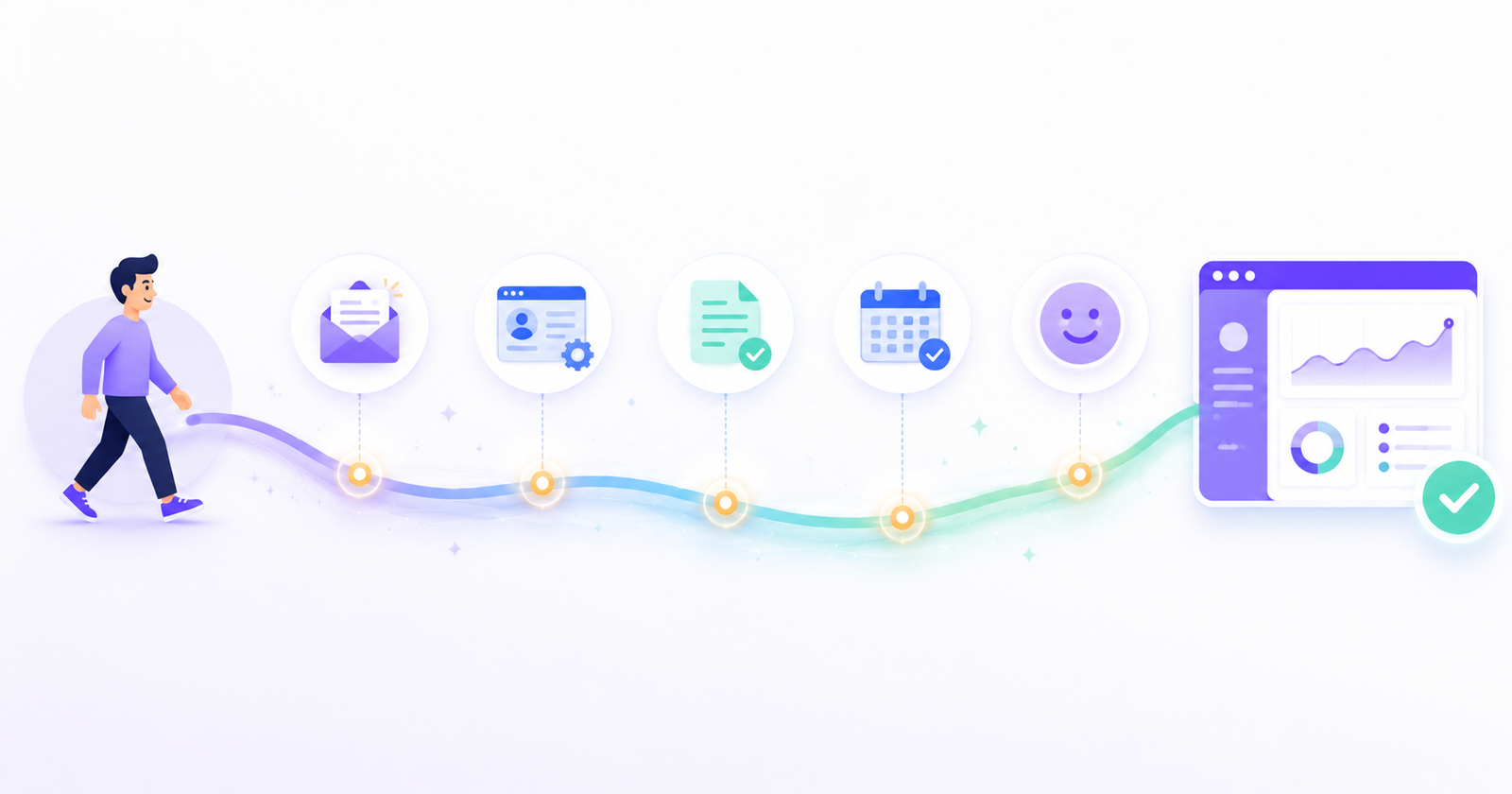
You do not need to build this all at once. Each step works on its own, and you can add the next one whenever you are ready. Here is the full sequence, then we will go through each one.
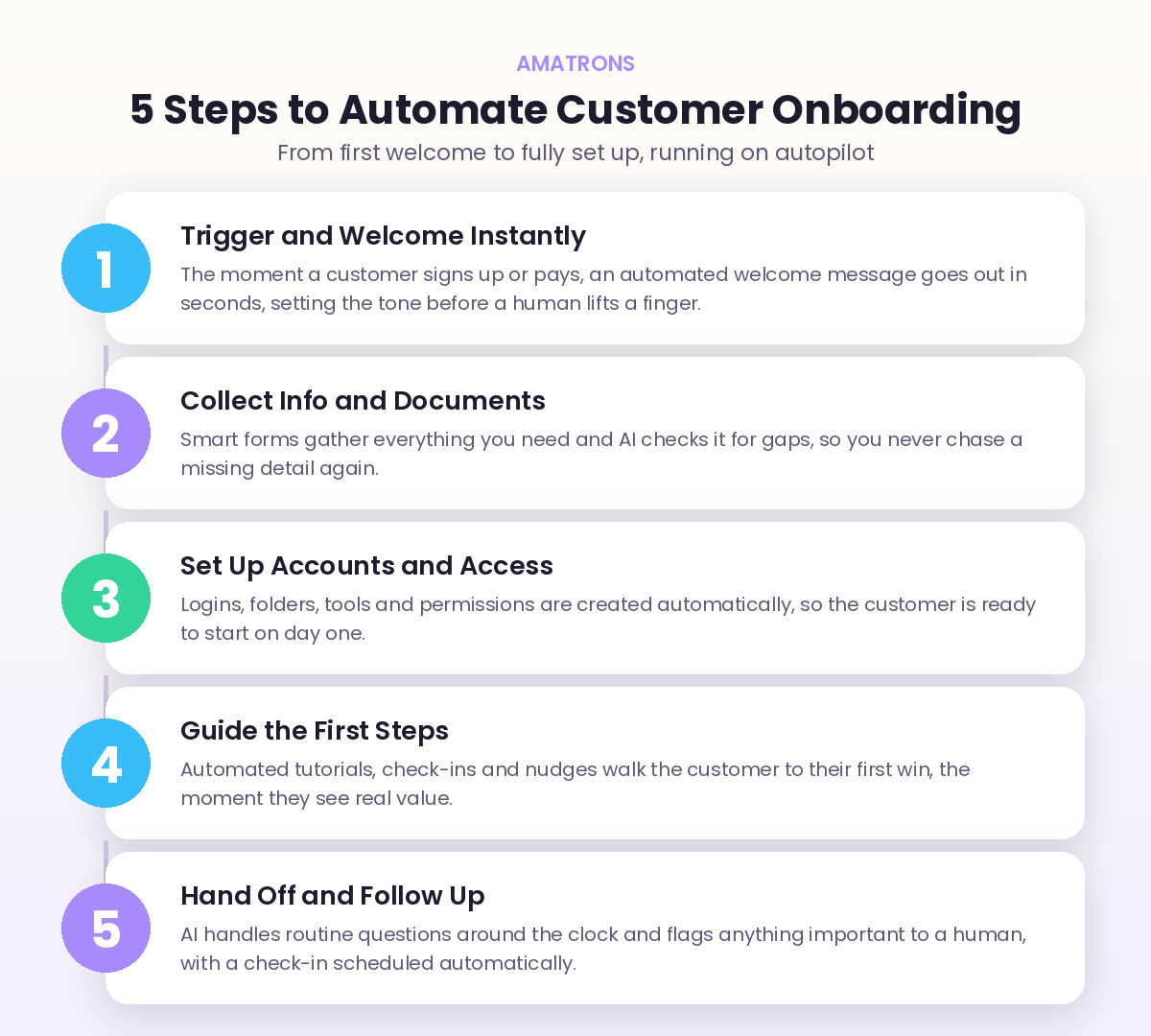
1. Trigger and Welcome Instantly
Every automation needs a trigger, the event that kicks it off. For onboarding, that is usually a signed contract, a completed payment, or a form submission. The instant it happens, a warm welcome message goes out automatically, ideally within seconds. This single step does more than it looks. It reassures the customer that their money was well spent and buys you time to do the rest properly. The message can set expectations, share what happens next, and point them to a first action, all without you touching your keyboard.
2. Collect Information and Documents Automatically
Next comes the part everyone hates: gathering details. Instead of a back and forth email chain, the automation sends a smart intake form that asks for exactly what you need, contracts, brand assets, account details, goals. Tools can require the important fields, so nothing comes back half finished. Add AI here and it can read the responses, check for gaps, and follow up on anything missing, so you are not the one chasing a customer for the logo they forgot to attach. The information flows straight into your system, tagged and ready.
3. Set Up Accounts and Access
This is where automation saves the most hidden time. Based on the information collected, the system creates what the customer needs to get started: a CRM record, a project folder, a login, a shared workspace, calendar access, whatever your service requires. What used to be a checklist of manual clicks across five different tools becomes a single automated chain. The customer lands on day one fully set up, instead of waiting two days for you to provision everything by hand.
4. Guide the First Steps to Value
A customer who does not reach their first win quickly is a customer halfway out the door. This step automates the path to that win. Think a short welcome video, a getting started guide, a checklist, or a scheduled nudge that arrives if they have not logged in or taken the key action. The goal is to get them to the moment they feel real value as fast as possible. Automated check-ins at the right time keep momentum going without you manually tracking who is stuck.
5. Hand Off and Follow Up
The final step keeps the relationship warm after the rush. An AI support layer can answer the common early questions around the clock, so a customer at 11pm gets help instantly instead of waiting until morning. Anything it cannot handle gets flagged to you with full context. A follow-up check-in is scheduled automatically, a feedback request goes out at the right moment, and the customer feels looked after long after the paperwork is done. Our AI support bot is built for exactly this kind of always-on early support.
A Real Example: Onboarding a New Consulting Client
Picture a small consulting firm that signs four new clients a month. Before automation, each new client meant the same two hours of work: a welcome email, a contract to send, an intake questionnaire, a shared drive to create, a kickoff call to schedule, and a CRM record to update. Multiply that by four clients and the founder loses most of a working day every month to setup, usually squeezed in late at night.
After automating it, the picture changes completely. The moment a client signs the proposal, the welcome email goes out and the intake form lands in their inbox. As soon as they complete it, the shared drive is created, the CRM is updated, and a kickoff call link is sent based on the founder’s real availability. A getting started guide arrives on day one, a gentle nudge follows if the client has not booked their call by day three, and a check-in is scheduled for week two.
The founder now spends about fifteen minutes per client reviewing the automated work instead of two hours doing it. The clients get a faster, more polished start than the firm ever managed by hand. Nothing slips, even during a busy month. That is the quiet power of onboarding automation. It does not just save time, it raises the floor on the experience every single customer receives.
What the Automated Timeline Looks Like
It helps to see the whole thing laid out over time. Once you automate customer onboarding, here is the kind of sequence that runs on its own from the moment someone signs up, with you stepping in only where a human genuinely adds value.
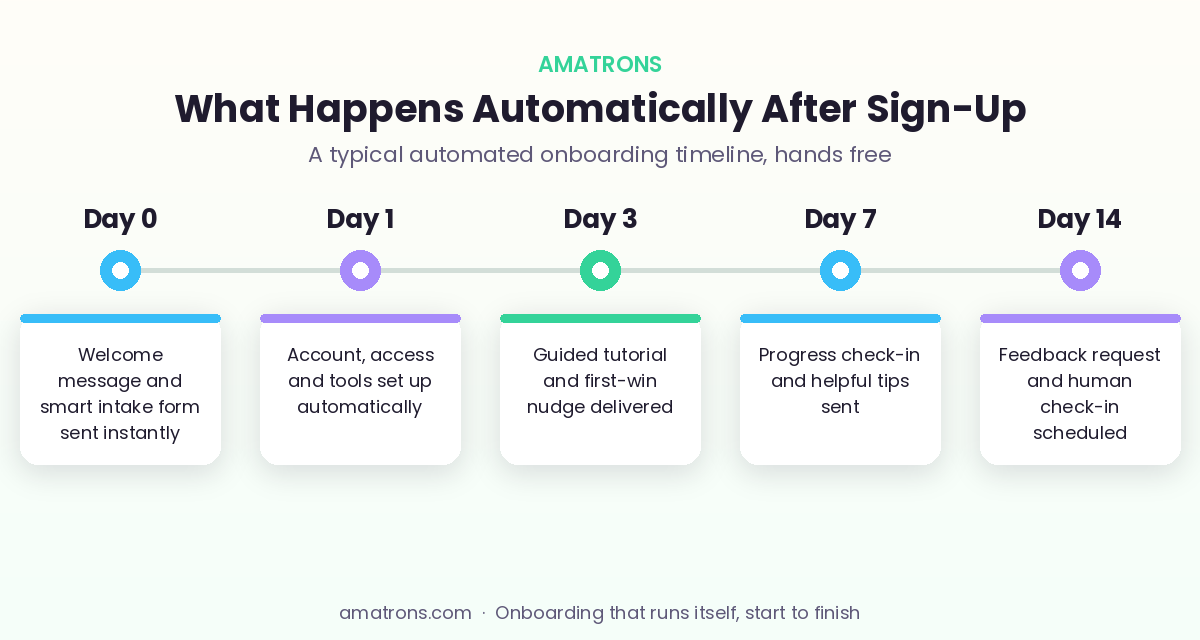
Notice that the human touch does not disappear. It moves to where it matters. Instead of spending your energy on copy-paste setup, you show up for the day 14 check-in, the strategic conversation, the relationship. Research even shows that adding a human touchpoint to an otherwise automated flow lifts 90-day retention further, so the best approach is not fully hands off. It is automation handling the busywork and you handling the moments that build trust.
Tools You Can Use to Build It
You can start simple and grow. Most businesses run their onboarding automation on a small stack rather than one giant tool.
- A workflow builder like Zapier, Make, or n8n to connect your apps and trigger the steps.
- A form tool for smart intake, so information arrives clean and structured.
- Your CRM or project tool as the home base where records and folders get created.
- An AI layer for reading replies, answering early questions, and personalising messages.
The trap is buying tools before you have mapped the steps. Decide what your onboarding should do first, then pick the tools that fit. If wiring it all together sounds like a project you do not have time for, that is precisely the kind of build our workflow automation service sets up for you, done for you and live fast.
How to Know Your Onboarding Automation Is Working
Automation without measurement is just guessing faster. Once your flow is live, watch a few simple numbers to confirm it is actually helping, and to spot where it needs tuning.
- Time to first value. How long until a new customer reaches their first real win. Shorter is almost always better, and it is the strongest early signal of whether they will stay.
- Onboarding completion rate. The share of customers who finish every step you set out. A low number points to a step that is confusing or too much effort.
- Time you spend per customer. Track this before and after. If automation is working, your hands-on time per new customer should drop sharply.
- Early churn. How many customers leave in the first 30 to 90 days. This is the number onboarding most directly protects, so watch it closely.
You do not need fancy software to track these. A simple spreadsheet updated monthly is enough to see the trend. The point is to treat onboarding as a system you improve, not a task you set once and forget. Small tweaks to the messages, the timing, or the order of steps can lift completion and retention more than you would expect.
Who Should Automate Their Onboarding
The short answer is almost any business that takes on customers in a repeatable way. If you find yourself doing roughly the same setup tasks for each new client, the work is a candidate for automation. A few examples make it concrete.
- Coaches and consultants who run every new client through intake, contracts, scheduling, and a program kickoff.
- Agencies and service firms juggling assets, access, and project setup for each account.
- SaaS and app businesses where the first session decides whether a user activates or disappears.
- E-commerce and subscription brands that want a strong post-purchase sequence to drive the second order.
The common thread is repetition. The more often you run the same onboarding, the more time automation gives back and the more consistent the experience becomes. Even a solo founder taking on two clients a month will feel the difference, because those two starts now happen flawlessly instead of being rushed between other work. You do not need to be big to benefit. You just need a process that repeats, which describes nearly every business that is growing.
Common Mistakes to Avoid
A few errors turn good intentions into a clunky experience. Sidestep these and your automated onboarding will feel smooth instead of mechanical.
Frequently Asked Questions
What does it mean to automate customer onboarding?
How long does it take to set up onboarding automation?
Do I need technical skills to automate customer onboarding?
Will automated onboarding feel impersonal to customers?
What is the first step to automate my onboarding?
The Bottom Line
Onboarding is the first promise you keep after a customer pays, and it sets the tone for everything that follows. Doing it by hand means it slips exactly when you are busiest, and a shaky start quietly drives people away. When you automate customer onboarding, you make your best welcome the standard one, delivered the same way to every customer, every time. Start with the welcome and intake, add the rest as you go, and keep one real human moment where it matters. The result is a smoother experience for your customers and hours back in your week, running quietly in the background while you do the work that grows the business.