
Website Performance Optimization Tips to Boost Speed, UX, and Conversions

Here is the uncomfortable truth most leadership teams avoid. A slow or poorly optimized website is quietly draining revenue every single day. Not because the product is weak or the marketing budget is low. It happens because users do not wait. They judge. They leave. And they rarely come back. For US businesses competing in crowded digital markets, website performance is no longer a backend concern. It is a frontline business issue. Speed delays create friction. Poor user experience signals lack of credibility. Inconsistent performance erodes trust long before a sales conversation even begins. What this really means is that your website may be losing deals before your team ever gets a chance to engage. Decision makers often invest heavily in branding campaigns paid media and new features while assuming the website can handle it. In reality performance bottlenecks turn those investments into sunk costs. Traffic arrives with intent but leaves with frustration. Conversions drop not because demand is low but because experience is broken. Website performance optimization tips matter because performance is not about milliseconds. It is about momentum. A fast stable and predictable website builds confidence. It keeps users engaged. It supports SEO. It improves conversion efficiency. Most importantly it aligns digital execution with business ambition. This is where performance optimization shifts from being a technical checklist to a growth lever. When leaders understand performance through the lens of revenue trust and long term scalability it becomes clear that optimizing a website is not maintenance work. It is a strategic decision that directly impacts how the business grows. Why Website Performance Is a Business Problem Not a Technical Detail Leadership teams often see website performance as something the tech team will handle eventually. The data tells a very different story. Performance issues show up directly in revenue leakage trust erosion and visibility loss. Below is a clear view of how slow performance translates into business damage using realistic and widely accepted industry benchmarks. Why leadership teams still underestimate performance Performance Factor What Leaders Often Assume What Actually Happens in Reality Page load delay of 1 second Users will wait Conversion rates drop by around 7% Page load over 3 seconds Minor inconvenience Over 50% of users abandon the page Performance reports in technical tools No urgent action needed Revenue impact remains invisible to leadership Heavy marketing spend Traffic guarantees growth Traffic exits before engaging or converting Performance owned only by developers Not a leadership concern Business KPIs quietly decline What this shows is simple. When performance is measured only in technical scores and not tied to revenue or conversion data it stays under the radar. Leaders focus on growth initiatives while the foundation quietly weakens. The hidden cost of slow websites on revenue trust and SEO Business Area Affected Realistic Industry Data Direct Business Impact Revenue per visitor Around 4% revenue loss with a 2 second delay Hundreds of thousands of dollars annually for mid size sites Conversion rate Up to 7% drop per extra second Fewer leads fewer sales lower ROI User trust perception Slow sites seen as less reliable Lower brand credibility and repeat visits Bounce rate Over 50% abandonment after 3 seconds Paid and organic traffic wasted SEO visibility Speed is a confirmed ranking factor Reduced organic traffic and higher acquisition cost Paid media efficiency Slow landing pages increase CPA Higher ad spend for the same results For US businesses operating in competitive digital markets this compounds fast. A site generating one million dollars annually can easily lose tens of thousands of dollars simply due to performance delays that feel minor on the surface. What really matters here is not the numbers alone. It is the pattern. Slow websites leak revenue before a sales conversation begins. They damage trust before a brand message is absorbed. They weaken SEO before competitors even need to outspend you. This is why website performance must be owned at the leadership level. Not as a technical cleanup task but as a core business decision tied directly to growth efficiency and long term market position. Speed Is the First Impression Your Business Makes Speed is not a background metric. It is the first experience your customer has with your brand. Before they read a headline trust a claim or evaluate an offer they feel speed. That feeling shapes behavior instantly and often permanently. How load speed shapes user perception and behavior Load Experience User Reaction Business Outcome Page loads under 2 seconds Feels reliable and professional Higher engagement and deeper sessions Page loads between 2 and 3 seconds Tolerated but noticed Drop in interaction and focus Page loads over 3 seconds Feels slow and frustrating Sharp increase in bounce rates Delays during clicks or scroll Loss of confidence Abandoned forms and carts Inconsistent speed across pages Brand feels unstable Reduced trust and repeat visits Research consistently shows that users subconsciously associate speed with competence. A fast website feels modern and trustworthy. A slow one feels risky. This judgment happens before logic kicks in. Once that perception is formed it is very hard to reverse within the same session. Common speed issues in growing US businesses Speed Issue Why It Happens Business Impact Heavy images and media Design focused updates without optimization Slower load times and visual delays Too many third party scripts Marketing and analytics added over time Page blocking and delayed interaction Weak hosting infrastructure Outgrown initial hosting plans Inconsistent speed during traffic spikes No caching strategy Reliance on dynamic page loads Repeat visitors still experience delays Platform and plugin overload Feature driven growth Accumulating performance debt Speed benchmarks that actually impact conversions Performance Metric Benchmark That Matters Why It Matters Time to first interaction Under 2 seconds Users feel in control quickly Full page usability Under 3 seconds Prevents early abandonment Interaction delay Under 100 milliseconds Clicks feel instant and responsive Speed consistency Stable across pages Builds confidence and flow Mobile performance Equal or better than desktop Majority of traffic originates on mobile What
Website Navigation Design: How to Improve User Experience
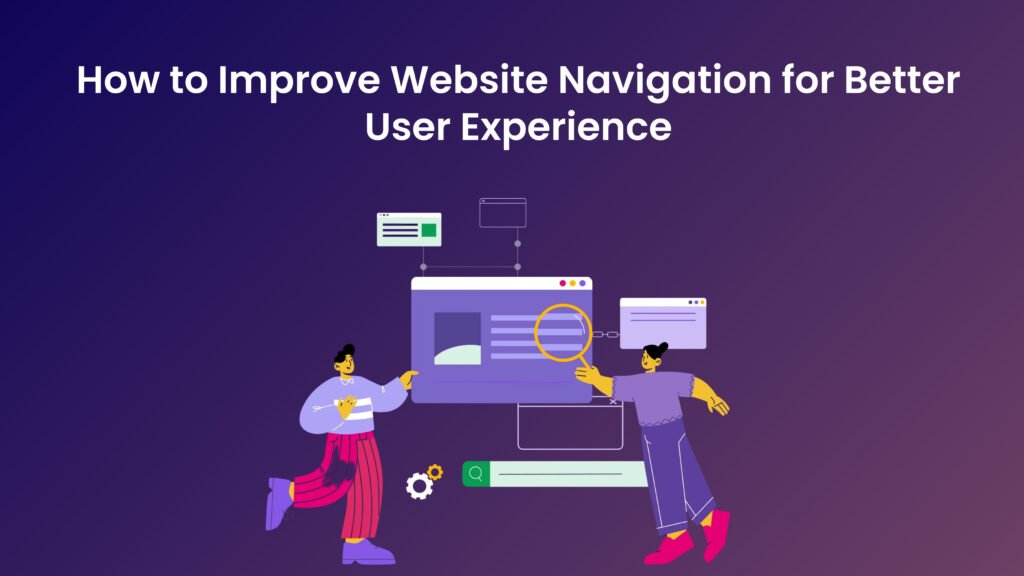
What Is Website Navigation Design? Website navigation is a crucial component of web design that facilitates the movement of users through a website, enabling them to find the information they seek effectively and efficiently. Essentially, navigation serves as the roadmap of a website, guiding users from one section to another while ensuring an intuitive and seamless experience. A well-structured navigation system not only enhances usability but also plays a vital role in user engagement, accessibility, and overall satisfaction. Usability is paramount when considering website navigation. A user-friendly navigation structure allows visitors to easily locate relevant content without confusion or frustration. When users can effortlessly navigate through various sections of a website, they are likely to stay longer and interact more with the content. Conversely, complex or poorly designed navigation can lead to increased bounce rates, where users leave the site quickly due to frustration. Therefore, a clear and concise navigation layout is fundamental in retaining user interest and guiding them toward their desired destinations. Furthermore, accessibility is an essential aspect of website navigation that ensures all users, including those with disabilities, can effectively use the site. Incorporating accessible design practices, such as keyboard navigation options and screen reader compatibility, helps in creating an inclusive environment that welcomes diverse audiences. When navigation is accessible, it widens the potential user base and improves overall engagement metrics. In conclusion, website navigation is more than just a design element; it is an integral part of enhancing the overall user experience. By prioritizing usability and accessibility in the navigation structure, website owners can significantly improve user satisfaction, leading to better engagement and retention. Designs that prioritize effective navigation ultimately foster a stronger connection between the user and the content presented on the site. Understanding User Behavior in Website Navigation Design To create an effective website navigation system, it is imperative to understand user behavior and needs. Users possess certain expectations when they visit a website, which are informed by their prior experiences across various platforms. A well-structured navigation system serves as a roadmap, enabling users to find the information they are seeking quickly and intuitively. This responsiveness to user expectations can significantly enhance their overall experience. Common navigation patterns exhibit a remarkable consistency across different demographics. For instance, many users instinctively seek a top navigation bar or dropdown menus. They appreciate clear labels and recognizable icons that indicate where to click next. Studying these patterns can inform web designers on how to structure their navigation for maximum efficacy. Additionally, understanding that users generally prefer a minimalistic design aids in mitigating cognitive overload, allowing them to make decisions more swiftly. Analyzing user behavior is crucial for tailoring navigation to meet specific needs. Techniques such as user testing, where individuals interact with the website while observers take notes on their actions and reactions, can provide valuable insights. Furthermore, collecting user feedback through surveys or feedback forms can help identify pain points in the navigation process. This data-driven approach enables web developers to refine their navigation systems based on real user experiences rather than assumptions. Engaging with the users directly and observing how they interact fosters a deeper understanding of their needs, leading to a more user-centered design. By integrating user feedback into the design process, web developers can create a navigation experience that not only meets users’ immediate needs but also anticipates their future requirements. Ultimately, a thorough understanding of user behavior not only enhances website navigation but also contributes to an overall optimal user experience. Designing a Clear Navigation Structure Creating a clear and intuitive navigation structure is pivotal in enhancing website usability and user experience. A well-structured navigation system allows users to locate the relevant content efficiently and encourages them to engage more deeply with the website. The first principle of effective navigation design is hierarchical organization. This involves structuring content in a logical manner, where primary categories lead to subcategories, ultimately guiding the user through a streamlined experience. By organizing information hierarchically, users can easily discern relationships among various sections of the site. Another critical element of a successful navigation structure is the categorization of content. It is essential to group related topics together to simplify the browsing process. For instance, an e-commerce website could categorize products into departments such as electronics, clothing, and home goods. Within these categories, further subdivisions can be implemented, such as by brand or price range. This type of layered approach enables users to navigate through the website at their own pace, reducing confusion and enhancing satisfaction. The importance of labels cannot be overstated in this context. Using clear and descriptive labels for navigation items helps users understand what to expect when they click on a link. Ambiguous labels can lead to frustration and increased bounce rates, as users may not find the content they are looking for. Therefore, it is crucial to select labels that accurately reflect their respective categories or pages, ensuring a seamless flow of information. For example, websites like Amazon and Wikipedia illustrate best practices in navigation structure. Amazon utilizes mega menus that display multiple categories simultaneously, making it easier for users to find products. Conversely, Wikipedia employs a set of well-defined categories on its sidebar, allowing users to explore a range of topics effortlessly. By adhering to these principles of navigation structure, web designers can significantly enhance the user experience, leading to greater user satisfaction and retention. Implementing Responsive Navigation for All Devices In today’s digital landscape, responsive design is pivotal for ensuring optimal user experience across various devices. With the increasing prevalence of smartphones, tablets, and other mobile devices, it is essential that website navigation adapts seamlessly to different screen sizes. Users expect a consistent experience whether they are browsing on a desktop, laptop, or mobile device, which makes responsive navigation a critical aspect of web development. Responsive navigation involves the implementation of design techniques that allow navigation menus to rearrange or transform based on the capabilities of the device being used. One widely adopted solution is the hamburger menu, which condenses
Responsive Web Design: Why It Matters for Modern Businesses
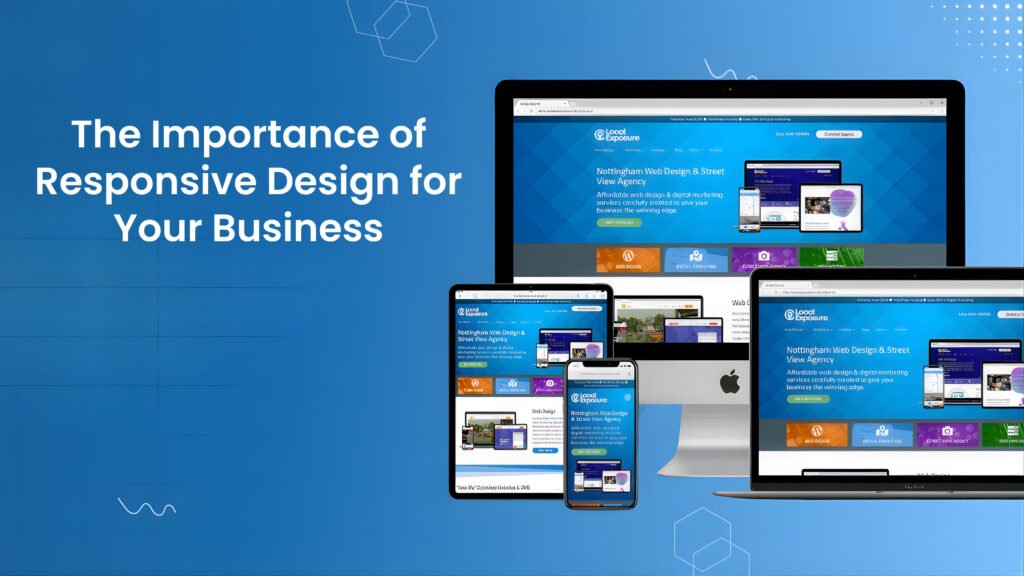
What Is Responsive Web Design? Responsive design is a web development approach that aims to create web pages that provide an optimal viewing experience across a wide range of devices. This includes desktop computers, tablets, smartphones, and even emerging devices like smartwatches. The primary goal of responsive design is to ensure that users can easily navigate and interact with websites regardless of the screen size or orientation. It accomplishes this through several key principles, namely fluid grids, flexible images, and media queries. Fluid grids form the foundation of responsive web design by allowing layout elements to resize and rearrange based on the user’s screen size. Instead of using fixed pixel dimensions, fluid grids utilize relative units like percentages, which allow elements to proportionally scale. This flexibility ensures that a website’s structure remains intact, whether viewed on a large monitor or a small smartphone display. In addition to fluid grids, flexible images play a crucial role in responsive design. This principle involves using images that can scale within the confines of their parent elements, rather than being constrained by fixed dimensions. Techniques such as CSS properties like “max-width: 100%” help images resize appropriately, permitting them to maintain their aspect ratios and preventing distortion on various devices. This approach significantly enhances the user experience by ensuring visual content remains clear and engaging, regardless of the viewing medium. Finally, media queries are essential for applying different styles based on the characteristics of the device being used. These CSS rules allow developers to set specific breakpoints, altering the layout and design according to factors like the viewport size or screen resolution. This versatility is vital in catering to a diverse audience, ensuring that all users receive an equally functional and visually appealing experience. Understanding these principles is crucial for any business aiming to enhance its online presence in today’s mobile-centric world. The Growing Use of Mobile Devices In recent years, the prevalence of mobile devices has dramatically increased, reshaping how consumers interact with the digital world. Smartphones and tablets have become ubiquitous, allowing users to access the internet anytime and anywhere. According to recent statistics, mobile devices account for over half of global web traffic, with that number continually rising as technology advances and mobile connectivity improves. Consumer behavior has shifted significantly towards mobile web browsing. As more individuals rely on their devices for everyday tasks, including shopping, social networking, and information gathering, businesses must recognize this change. Research has indicated that nearly 80% of consumers use their mobile devices to research products before making a purchase, underscoring the importance of having a mobile-friendly website. Additionally, it has been reported that mobile users are more likely to engage with content that is optimized for their devices, leading to higher conversion rates for businesses that prioritize responsive design. Furthermore, the impact of mobile usage extends beyond mere consumption of information. The average user spends close to 3 hours daily on mobile applications, which highlights the significance of creating an accessible and enjoyable browsing experience. Companies that fail to adapt their websites for mobile users risk losing potential customers and harming their overall online presence. An increasing number of web users expect fast-loading, visually appealing sites that function seamlessly across various screen sizes. Therefore, adopting a responsive design approach has become integral to business strategies aiming to capture the mobile market and enhance user experience. In light of these trends, it is clear that businesses must invest in responsive design to meet the needs of their mobile clientele effectively. Ignoring this shift could result in lost opportunities and diminished customer satisfaction. How Responsive Web Design Improves User Experience In the digital landscape, where users access websites through a myriad of devices, from smartphones to tablets and desktops, the importance of responsive design cannot be overstated. Responsive design ensures that a website adapts efficiently to various screen sizes and resolutions, providing users with a seamless experience. This adaptability significantly enhances user experience (UX), addressing the diverse preferences and behaviors of users. A seamless performance across different devices plays a critical role in reducing bounce rates. When users encounter a website that is not optimized for their device, they are likely to leave almost immediately, contributing to increased bounce rates. Conversely, a responsive design ensures that elements are displayed correctly and that navigation is intuitive, keeping users engaged. This engagement is essential, as it can lead to users spending more time on the site, exploring various offerings, and consuming content without frustration. In addition to reducing bounce rates, responsive design fosters higher user engagement. When visitors feel that a website is tailored for their device, they are more likely to interact with its content, whether it’s clicking through pages, signing up for newsletters, or making purchases. This engagement not only creates opportunities to build a relationship with the user but also increases the likelihood of conversion. Responsive websites have been shown to experience higher conversion rates, as users find it easier to complete tasks and navigate through their purchasing journey. Overall, prioritizing responsive design translates to significant benefits, including enhanced user satisfaction and increased likelihood of repeat visits. A well-designed responsive website ultimately serves as a solid foundation for improving user experience, encouraging customer loyalty, and boosting business success. SEO Benefits of Responsive Web Design Responsive design plays a pivotal role in enhancing search engine optimization (SEO) for businesses. With an increasing number of internet users accessing websites through mobile devices, search engines like Google have prioritized mobile-friendly sites in their ranking algorithms. Consequently, websites utilizing responsive design are more likely to achieve higher visibility in search engine results pages (SERPs). This approach allows a single, adaptable website to serve various devices, ensuring a seamless user experience regardless of screen size. One significant advantage of responsive design is the elimination of duplicate content. Traditional mobile sites often consist of separate URLs for desktop and mobile versions, which can lead to fragmentation of traffic and diluted SEO efforts. In contrast, responsive websites employ a single URL that caters
Web Design Trends 2025: Future-Ready Website Design Guide
Introduction to Web Design Trends 2025 Web design is a constantly evolving field that reflects both technological advancements and shifts in user preferences. As we approach 2025, understanding the current trends in web design is crucial for developers, businesses, and marketers alike. These trends not only dictate the aesthetic appeal of a website but also play a significant role in enhancing the user experience. A well-designed website is more than just visually attractive; it must also be user-friendly, facilitating easy navigation and engagement. The importance of keeping up with web design trends cannot be overstated, as they can significantly influence a user’s perception of a brand or service. Websites that adhere to current design principles tend to achieve higher user retention rates, improved search engine rankings, and an overall better interaction with their audience. This is not just about following a trend for aesthetic purposes; it is about creating an environment that responds to user needs and expectations. Moreover, the evolution of technology introduces new tools and methods for web designers to explore. From advancements in artificial intelligence to the growing emphasis on responsive design, these factors contribute to shaping the future landscape of web design. Trends often reflect larger changes within the digital ecosystem, including how users interact with devices, the rise of mobile browsing, and the increasing demand for accessibility. As we prepare to delve into the web design trends anticipated for 2025, it is essential to recognize how past developments have set the stage for current and future innovations. In this blog post, we will explore a range of significant trends that are expected to dominate the web design landscape in 2025. By understanding these trends, stakeholders can make informed decisions about their web design strategies, ensuring they remain competitive in an ever-changing market. Sustainability in Web Design Trends 2025 The emphasis on sustainability in web design is gaining significant traction as environmental consciousness continues to influence various industries. As we advance towards 2025, web designers and developers are increasingly integrating eco-friendly practices into their projects. This shift is not just beneficial for the planet; it resonates with users who prioritize sustainable choices in their digital experiences. By adopting sustainable design principles, web professionals can create a more eco-conscious online presence. One key area where sustainability can be implemented is through energy-efficient hosting solutions. Traditional hosting services often rely on energy-intensive server farms, but choosing green hosting options that utilize renewable energy sources can significantly reduce the carbon footprint of a website. By aligning with providers that invest in sustainable infrastructure, designers not only contribute to a healthier environment but also promote their commitment to eco-friendliness. Another important facet is designing for longevity. Websites are often treated as transient projects, leading to frequent redesigns and updates that contribute to digital waste. By embracing practices such as modular design, designers can create websites that are easy to update and maintain over time, minimizing the need for complete overhauls. This approach not only extends the life cycle of a website but also fosters a more sustainable relationship between users and their online platforms. Lastly, employing sustainable design principles—such as using minimalistic designs, optimizing images, and reducing unnecessary features—can enhance the performance and accessibility of a site while simultaneously being environmentally considerate. By focusing on these practices, designers can ensure that their web projects are aligned with both user needs and environmental stewardship, reflecting a commitment to sustainability in the digital realm. Inclusive and Accessible Web Design Trends 2025 As the digital landscape evolves, inclusive and accessible design has emerged as a fundamental principle that designers must prioritize. The growing awareness of the diverse needs of users mandates a shift towards designing websites that accommodate individuals with disabilities. This progressive approach not only enhances user experience but also aligns with universal design principles that ensure equitable access to information and services for all users. To create an accessible web experience, designers should adhere to established guidelines, such as the Web Content Accessibility Guidelines (WCAG). These guidelines provide a comprehensive framework outlining how to make content more perceivable, operable, and understandable. By implementing features such as alt text for images, keyboard navigation options, and adequate color contrast, web designers can significantly improve accessibility for visually impaired users and those with motor disabilities. Furthermore, incorporating responsive design practices ensures that content is usable across various devices, benefiting a broader section of the population. In addition to catering to users with disabilities, inclusive design acknowledges the variations in user experiences. Factors such as cultural background, language proficiency, and technological literacy can all impact how individuals interact with digital content. Therefore, designers must consider a variety of perspectives throughout the design process. This can be achieved through user testing with diverse groups, gathering feedback, and creating personas that reflect a wide range of user experiences. Ultimately, the focus on inclusive and accessible design reflects a broader cultural shift toward empathy and understanding in the digital era. By prioritizing the needs of all users, web designers contribute to a more equitable internet, where everyone can engage meaningfully with online content. AI-Driven Personalization in Web Design Trends 2025 Artificial Intelligence (AI) has significantly impacted various industries, and web design is no exception. One of the most exciting developments in this domain is AI-driven personalization, which offers designers innovative ways to create tailored experiences for website users. By analyzing data from user interactions, preferences, and behaviors, AI facilitates a more intuitive and responsive design approach, ultimately enhancing user satisfaction and engagement. AI technologies can track user behavior in real-time, allowing websites to adjust content dynamically based on individual preferences. For instance, e-commerce platforms can showcase products that align with a user’s past purchases and browsing habits. Similarly, news websites can modify article recommendations, ensuring that users receive content pertinent to their interests. This level of personalization not only improves user experience but also fosters a deeper connection between the user and the website. Another vital aspect of AI-driven personalization is its capability to optimize layout and
How Website Design Impacts SEO and Search Engine Rankings
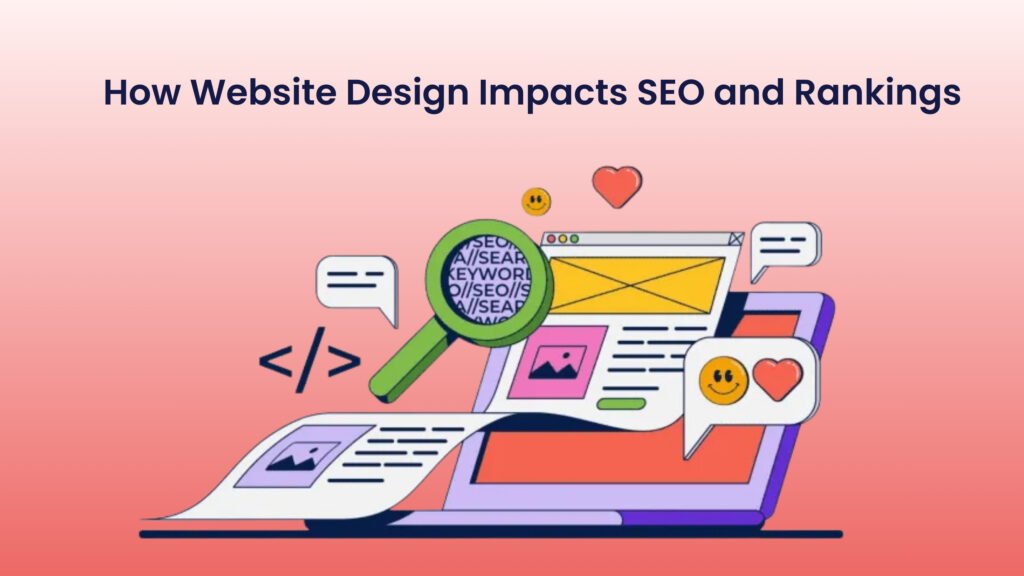
How Website Design Impacts SEO and Rankings Most entrepreneurs think of website design as something purely visual colors, fonts, layouts, maybe some nice animations. But here’s the thing: your website design doesn’t just shape how people see your brand, it also determines how Google sees it. Good design and SEO are not separate disciplines. They work hand in hand. Every decision you make in design from page structure to navigation, affects how your website ranks on search engines and how users behave once they land on it. If you want to build a strong online presence, you can’t afford to treat design and SEO as different projects. You need SEO friendly design that both looks great and performs well. Let’s break down exactly how design affects SEO and what you can do to optimize it. 1. Why Website Design and SEO Are Deeply Connected Search engines are smart, but they still rely on structure and signals to understand a site. Your design choices create those signals. For example, if your pages take too long to load or if your layout confuses visitors, Google notices. High bounce rates, poor engagement, and slow loading speeds all tell search engines that your site isn’t offering a good user experience and that directly hurts your rankings. This is why web design for SEO isn’t just about aesthetics. It’s about function, structure, and usability. A well-designed site helps search engines crawl pages easily, understand your hierarchy, and keep visitors engaged longer. When your design makes life easier for both humans and search engines, your rankings rise naturally. 2. Site Speed and Its Impact on SEO Rankings Let’s start with the most underrated part of web design for SEO — speed. Google has made it very clear that page load time is a ranking factor. People expect websites to load in under three seconds. Anything beyond that and your bounce rate starts climbing. Design affects speed more than most realize. Heavy image files, unnecessary animations, and poorly optimized scripts slow things down dramatically. Here’s what you can do for better site design optimization: Compress all images without losing quality. Use modern formats like WebP. Avoid auto-playing videos on the homepage. Minimize plugin use and unnecessary scripts. Choose lightweight themes and optimized code. Think of speed as your first impression with both visitors and search engines. A fast website says, “This business respects your time.” And Google rewards that. 3. Mobile-Friendly Website Design and SEO Performance Over 60% of all web traffic comes from mobile devices, especially in the USA. If your website isn’t mobile-friendly, you’re not just frustrating users you’re losing rankings. Google uses mobile-first indexing, which means it primarily looks at your mobile site to determine rankings. So even if your desktop version looks perfect, a poor mobile experience can drag your SEO down. SEO friendly design means your site adapts perfectly to any screen size. Text should be readable without zooming. Buttons should be easy to tap. Menus should collapse neatly. Responsive design isn’t optional anymore. It’s the standard. And it’s one of the most important design elements affecting SEO. A smooth, mobile-optimized website not only ranks better but keeps visitors on your page longer — reducing bounce rate and signaling quality to search engines. 4. Clean Navigation and Logical Site Structure A confusing navigation system is like a maze with no exit signs. It frustrates visitors and search engines alike. When search engines crawl your site, they follow internal links to understand structure. If your menus are cluttered or your pages are buried deep without clear hierarchy, crawlers can miss key content. For good website design SEO, structure your site with a clear flow: Homepage → Category Pages → Subpages Keep navigation simple and intuitive. Limit main menu items to essential sections. Use breadcrumb trails to help both users and search engines understand where they are. The easier your site is to navigate, the easier it is to rank. Remember, search engines prioritize websites that make sense both logically and visually. 5.How Visual Design Influences User Engagement and SEO Metrics Design directly influences how people behave on your website. These behavioral signals like bounce rate, dwell time, and click-throughs — tell search engines whether users find your content valuable. If your design feels cluttered, outdated, or hard to read, users leave fast. That signals poor quality, which lowers your ranking. An SEO friendly design keeps visitors engaged with clean layouts, plenty of white space, readable fonts, and scannable sections. Add visuals like icons and images strategically to support your message, not distract from it. A beautiful design is not just about looking nice. It builds trust. When visitors feel comfortable and confident on your site, they stay longer and interact more — which tells Google you’re worth ranking. 6.Content Layout and Readability: Web Design for SEO Success You’ve probably heard the phrase “content is king.” True – but design is the throne it sits on. Even the best-written content will fail if it’s hard to read. Large text blocks, poor spacing, and small fonts make users scroll away. Good web design for SEO enhances content readability: Use short paragraphs and subheadings. Include bullet points to break up information. Choose legible fonts and adequate line spacing. Highlight key phrases to help readers scan quickly. When visitors easily consume your content, they stay longer. That increases dwell time — another key signal Google tracks for ranking quality. So yes, design affects SEO even at the paragraph level. A clean, readable layout helps both humans and algorithms understand your message better. 7. Image Optimization: Improving SEO Through Smart Design Choices Images make your website visually appealing, but they can also slow it down or confuse search engines if not handled properly. Proper image optimization is a crucial part of site design optimization. Here’s what to do: Compress images before uploading. Use descriptive file names with keywords (like web-design-for-seo.jpg). Add alt text to help search engines understand the image context. Keep image dimensions suitable for the
Professional Website Features: 10 Must-Have Website Design Elements Every Business Needs
Why Professional Website Features Matter for Businesses Every business today lives and breathes through its website. It’s often the first thing people see when they hear about your company. It’s where trust is built, leads are captured, and sales begin. But here’s what most entrepreneurs miss having a website is not the same as having a professional website. A professional website is not just about looking pretty. It’s about working smart. It guides visitors, explains your value, and converts interest into business. Whether you’re launching your first site or revamping an old one, there are a few website design elements that every serious business must include. Let’s break down the ten must-have features for a professional website that actually drives growth. 1. A Clear and Compelling Homepage That Builds Instant Trust Your homepage is your first impression. Think of it as your digital front door. The moment someone lands there, they should understand three things instantly: Who you are What you offer Why it matters to them Many entrepreneurs make the mistake of trying to say everything at once. That only creates confusion. A strong homepage communicates in seconds. Use a clear headline, a short description, and a call to action that guides visitors to the next step—whether that’s booking a consultation, exploring your services, or contacting you. A simple rule: if a stranger can’t describe what your business does after ten seconds on your homepage, it needs work. When you plan your website design checklist, always start with this: clarity first, creativity second. 2. Mobile Responsiveness (Must Have Website Feature) More than 60 percent of website traffic today comes from mobile devices. If your website doesn’t adapt beautifully on phones and tablets, you’re losing leads before they even read a word. Mobile responsiveness means your website automatically adjusts its layout, fonts, and images for every screen size. It’s not just a design choice anymore—it’s a survival necessity. Google also prioritizes mobile-friendly sites in its rankings, so this directly affects your visibility. The best website design elements always prioritize mobile usability. When testing your website, browse it on multiple devices and screen sizes. Make sure buttons are easy to tap, text is readable, and load times stay under three seconds. A must have website is one that feels equally good to explore whether on a large desktop screen or a small phone in someone’s hand. 3. Fast Loading Speed for Better User Experience Attention spans online are brutal. Studies show if a website takes longer than three seconds to load, visitors start leaving. Every extra second costs conversions. This means your design must not just look great but also perform fast. Optimize your images, remove unnecessary plugins, and use a reliable hosting service. If you’re targeting customers in the USA, use a content delivery network (CDN) with US-based servers to reduce lag. A professional website feels smooth. Visitors shouldn’t even think about loading times—they should simply move from one section to another without interruption. When you review your website design checklist, speed should always be one of the top priorities. 4. SEO-Friendly Website Structure Even the most beautiful website means nothing if no one finds it. Search Engine Optimization (SEO) is how people discover you on Google. Start with web design basics—use clean code, proper heading structure, meta tags, and keyword-rich content. But don’t stuff your site with keywords just for the sake of it. Write for humans first, and search engines will follow. A professional website structure includes: Logical navigation (no confusing menus) Internal links that connect related pages Fast page loading speed Descriptive URLs Optimized meta titles and descriptions Remember, SEO is not an afterthought—it’s part of your website design elements from the beginning. When your site is built with SEO in mind, it continues to bring organic traffic long after launch. 5. Strong Branding and Visual Consistency Your website is your digital identity. Every color, font, and image should reflect your brand’s personality. Consistent branding creates recognition and builds trust. Use your brand colors throughout the site—especially in headings, buttons, and key visuals. Keep typography simple and readable. Choose photography that represents your real business or real people, not generic stock photos. A good tip: imagine your website without your logo. Would someone still recognize it as yours? If yes, your branding is strong. One of the most overlooked website design elements is emotional design—the feeling people get when they browse your site. A professional website connects visually and emotionally. It makes people feel like they can trust you with their money or their time. 6. Easy Navigation and User Experience A website is like a conversation. It should guide the visitor naturally. If people can’t find what they’re looking for in three clicks, they’ll leave. Keep your menu simple—five to six main items are usually enough. Label them clearly (Home, About, Services, Blog, Contact). Avoid jargon or fancy words that confuse users. Add a search bar if you have a large site, and always include a visible call to action button in your header (like “Get a Quote” or “Contact Us”). When you plan your website design checklist, spend as much time on navigation as on visuals. Great design without intuitive navigation is like a beautiful store with no signs—it looks nice, but no one buys anything. 7. Compelling Content and Storytelling Good design attracts attention, but great content holds it. Your website content should do more than describe your services. It should tell your story. Why did you start your business? What makes your approach unique? What problem do you solve better than anyone else? Use real examples, testimonials, and case studies to prove your value. Write conversationally, like you’re speaking to one person. A must have website communicates with authenticity. It doesn’t just list services—it builds a connection. When people feel understood, they’re far more likely to buy or contact you. Also, include a blog section. It’s an excellent way to improve SEO, share insights, and keep your site active. Blogs that discuss